Wednesday, April 27, 2016

Pop Art!

Over the last few weeks we have continued to work with Pain.net creating our own versions of Pop Art. We specifically looked at the artwork of Andy Warhol:
We talked about the various parody's and imitations of his work and set out to create our own! I passed out the various digital cameras I have been collecting over the years (old, used digital camera donations are always welcome!) and the students took photos of eachother to use. Some students preferred not to use their own faces, and instead found their own pictures of characters, animals, objects, and celebrities. 

It takes a lot of steps to edit the photos, change the colors, and layer them onto a single canvas. The students have been extremely successful in learning the complex editing tools, making and resizing digital canvases, and working with layers. 

Here are some early samples of their work! (More to come!)


Wednesday, March 16, 2016

Harlem Renaissance

We took a week off from our work with Paint.net to learn about the Harlem Renaissance. The Harlem Renaissance was an important time in American History when the African American community produced an enormous amount of art, music, performance, and literature. We discussed the movement and watched a short BrainPop video. View the video HERE. (Brainpop username is sandwichps and password is brainpop)

Then we put on some blues and jazz music and created our own Harlem Renaissance folks! We recycled lots of cardboard, paper, and yarn for our creations. The forms are not anatomically correct, but are meant to be abstractions of the human form. They are showing expression and movement through shape and facial features. The students were asked to portray someone who is historically relevant in their actions or dress. We had portrayals of real people such as Langston Hughes and Josephine Baker as well as lots and lots of original designs.  

The designs lined up nicely in the hallway to create our own Harlem Renaissance Parade!


Thursday, February 11, 2016

Building BLTs

Last week we started working with Paint.net as a photo editing software. We are using Paint.net over Photoshop for a couple of reasons. First, Paint.net is a free program that is downloadable on any mac or PC computer. If the students would like to work on projects at home, they are able (with parent permission of course) to download Paint.net and the program will look nearly identical to what we are using in class. Secondly, the computers we are using in Graphic Arts are quite old at this point. The version of Photoshop we have is dated and runs slowly which is frustrating when you're trying to learn something for the first time.

If you'd like to download Paint.net on home computer, it can be found at www.getpaint.net

The first project we are doing in paint.net is to create a BLT sandwich! The purpose of the project is to learn how to use the most popular editing tools, how to create and organize layers, and how to utilize shortcut keys to work more efficiently. The classes are moving along at different paces, but so far all are successful.

The BLT project in Paint.net looks like this:


Bon Appetit!

Mystery Artist of the Month!!
January's mystery artist was "10 Marilyns" by Any Warhol. February's mystery artist is below:

To enter the raffle, you must identify the artist and the title of the artwork. Good Luck!!


Monday, January 11, 2016

Piskel Practice

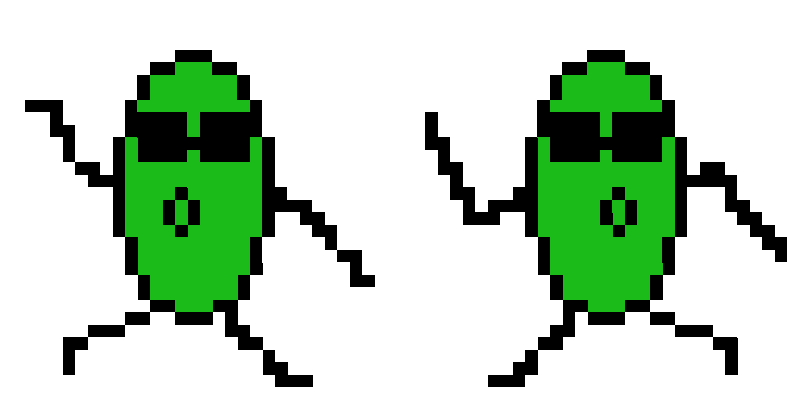
This week we will be creating our own animated pixel images using Piskel.
The editor can be accessed at www.piskelapp.com
Students can sign in with their school email and password.

Students are creating an image, and duplicating the slides so that they can make small changes.


When all the slides are played together you get an animated effect:

This is the type of program that is easy to learn, but can be tricky to master. Once the students get a little more practice I'll be sure to post some of their creations!


Friday, January 8, 2016

January Mystery Artist Contest

MYSTERY ARTIST OF THE MONTH!
This month's Mystery Artist is......


Yes, that's Marilyn Monroe, but no, that's not the title! We will be looking at more examples of this famous artist's work and make some pop art of our own this spring!

Happy New Year!


The lead up to the holidays and winter break was a crazy one! Students participated in lots of special activities which was great! This week has been a lot of getting reorganized and tying up lose ends so that we can change gears and start something new. 

As promised, here are some more great examples of the completed Animation Cel projects. The multi-layer concept was not easy, but students were creative and successful!


Wednesday, December 9, 2015

Gallery of Animation Cels

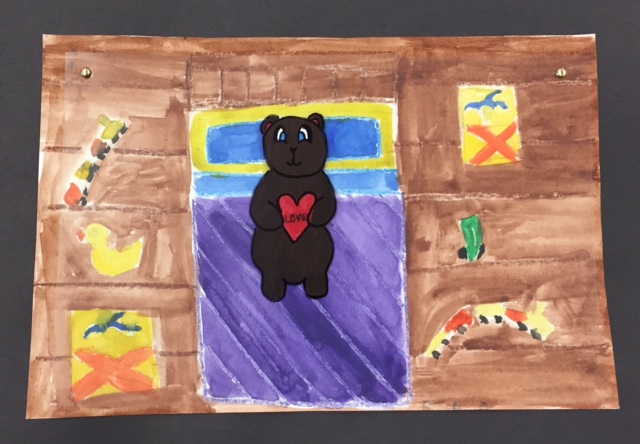
The students have been working hard on completing their hand-painted animation cels. It's so much fun to see their imaginations running wild! We have a awesome collection of uniquely designed characters ranging from robots to humans, animals, and monsters, and machines!

When they are complete, the students are submitting photos of their finished project to their online digital portfolio via Google Classroom. Here are a few that have been submitted so far:


I will post a large gallery of work next week once more are submitted!